Setting up a new project
A minimal Outerbounds project consists of four elements:
- A Git repository,
- An
obproject.tomlconfiguration file, - A top-level
README.md, - A CI/CD config to update a project.
To get started with a blank slate, you can clone
the ob-project-empty repository which has these elements prepopulated.
Our examples use GitHub Actions for CI/CD. Outerbounds also supports GitLab CI/CD, Azure DevOps, and CircleCI. See the CI/CD integration guide for platform-specific configurations.
Configuring a project
A project is configured through a top-level obproject.toml
configuration file. At the minimum, you need the following fields
in the file:
platform = "my-outerbounds.outerbounds.com"
project = "ob_project_empty"
title = "Empty Outerbounds Project"
You should change the values to match your project:
platformis the URL of your private Outerbounds deployment.projectis the identifier of the project, use only lowercase alphanumeric characters and underscores. By convention, you can have the project name match the name of the repository.titleis a human-readable name shown on the project overview page.
Enabling CI/CD access
Next, you need to allow CI/CD to push changes from the new repository to Outerbounds. This is done by setting up a new machine user - follow the first 20 seconds of the setup instruction video and make sure that you
- Name the machine user as follows:
my-repo-cicdreplacingmy-repowith the repository name (you can use hyphens instead of underscores) and make sure the-cicdsuffix is present. - Set up the right repository name.
Leave branch and other options empty.
Pushing a project update
By default the GitHub Actions script is configured to trigger a project update whenever you push a commit to the main branch or to a pull request.
To test the CI/CD access, change the README.md - or make any other commit you like - and push it. You should see a GitHub Action being triggered. You can
follow progress in the GitHub Actions UI. If all goes well, you should see an
empty overview page like this on Outerbounds:
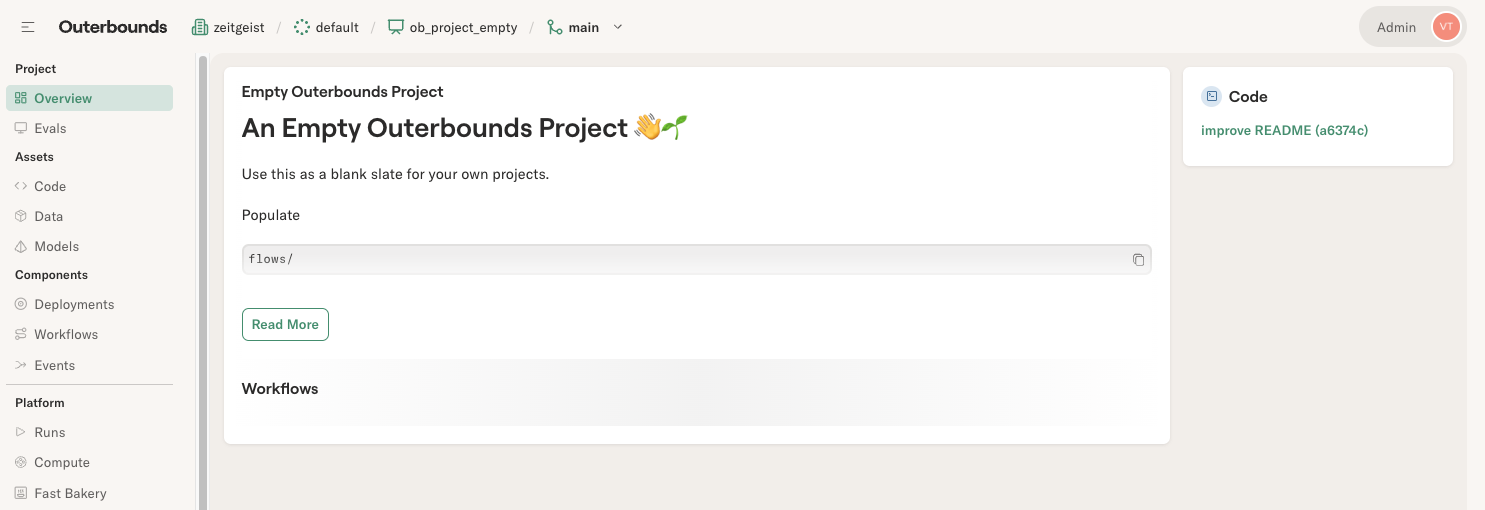
If you see this, congrats - you have a project up and running 🎉 You can push more updates and check the Code view which shows the latest commits included in the deployed project.
Common issues
If you see an error like this
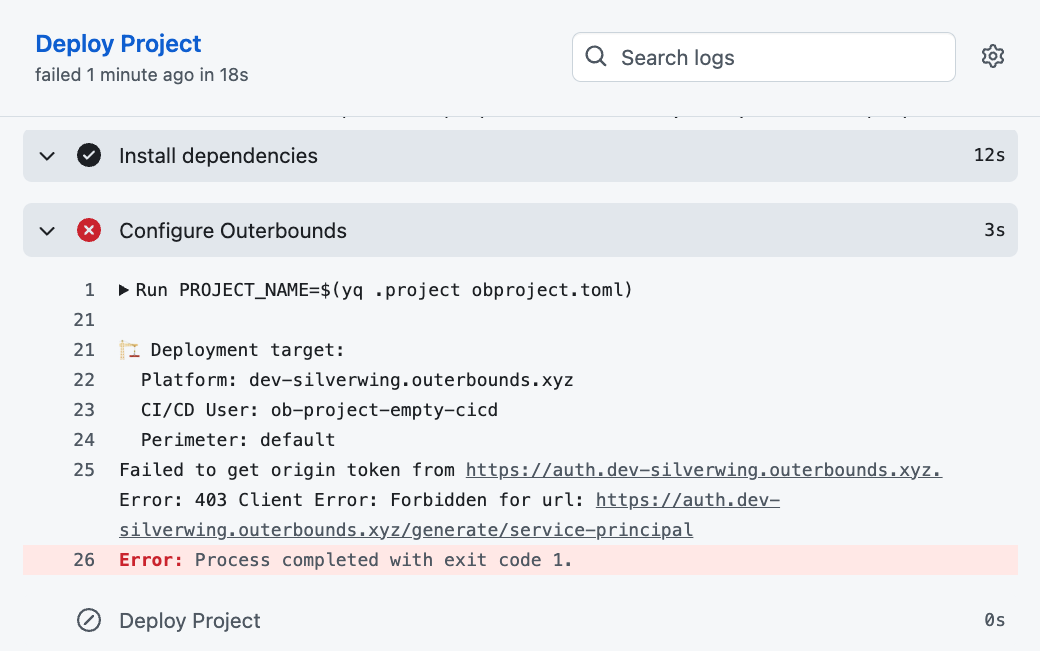
it indicates that the CI/CD worker is not able to access Outerbounds.
Double-check the machine user you have configured. Note the CI/CD User
in the message: It needs to match the name of the machine user, in the
above case, ob-project-empty-cicd.
Once you have a blank slate deployed, it's time to start building on top of it.